


Starting with GitHub, Anthropic, and even Figma adding agent-mode capabilities to their repertoire, I felt like a kid in a chocolate factory. The endless possibilities of using these agents became immediately apparent, I even drifted into dreams of coding up a whole new Tron world. But coming back to the promise of this post, this was a recent experiment exploring the outcomes of using Cursor and GitHub Agent Mode for designing a Chrome browser extension.
I've built several browser extensions previously, with the most recent being Yanx. I pulled it from the store after I couldn't find time to make it compatible with newer browser versions. Suddenly, adding agent support to a project like this seemed relatively approachable, a perfect testing ground.
Designing with intent
My first move was tackling my biggest bugbear: Gmail's dark mode support. I'm the sort of person who uses light mode during the day and dark mode at night. This way, I experience both design variations while saving my aging eyes from strain. I'd locked onto a problem that seemed technically challenging but small enough to manage effectively.
Strategic nudging
I started with GitHub Copilot's license and immediately focused on user-centred design principles. My opening prompt grounded the model in user perspective, providing context about Gmail's limitations and defining how I wanted the interface to work seamlessly for users managing these controls.
That was it. The agent drafted a design approach and development plan, and upon my confirmation, set to work.
Working plugin in minutes
Within minutes, I had a complete codebase setup with clear instructions for running the code as a Chrome plugin. I fired it up and immediately spotted a fundamental flaw. The agent's approach targeted each individual element in Gmail's interface, a brute-force solution that seemed computationally expensive while remaining inherently fragile.
I provided feedback, suggesting a simpler approach: adjusting the contrast of Gmail's frame rather than manipulating every single element. This small bit of technical direction set the agent on the right path. Running this version in Chrome, I found the UI design, UX flow, and engineering code were 90% aligned with my vision. A few refinements in Figma and additional feedback prompts delivered the final version.
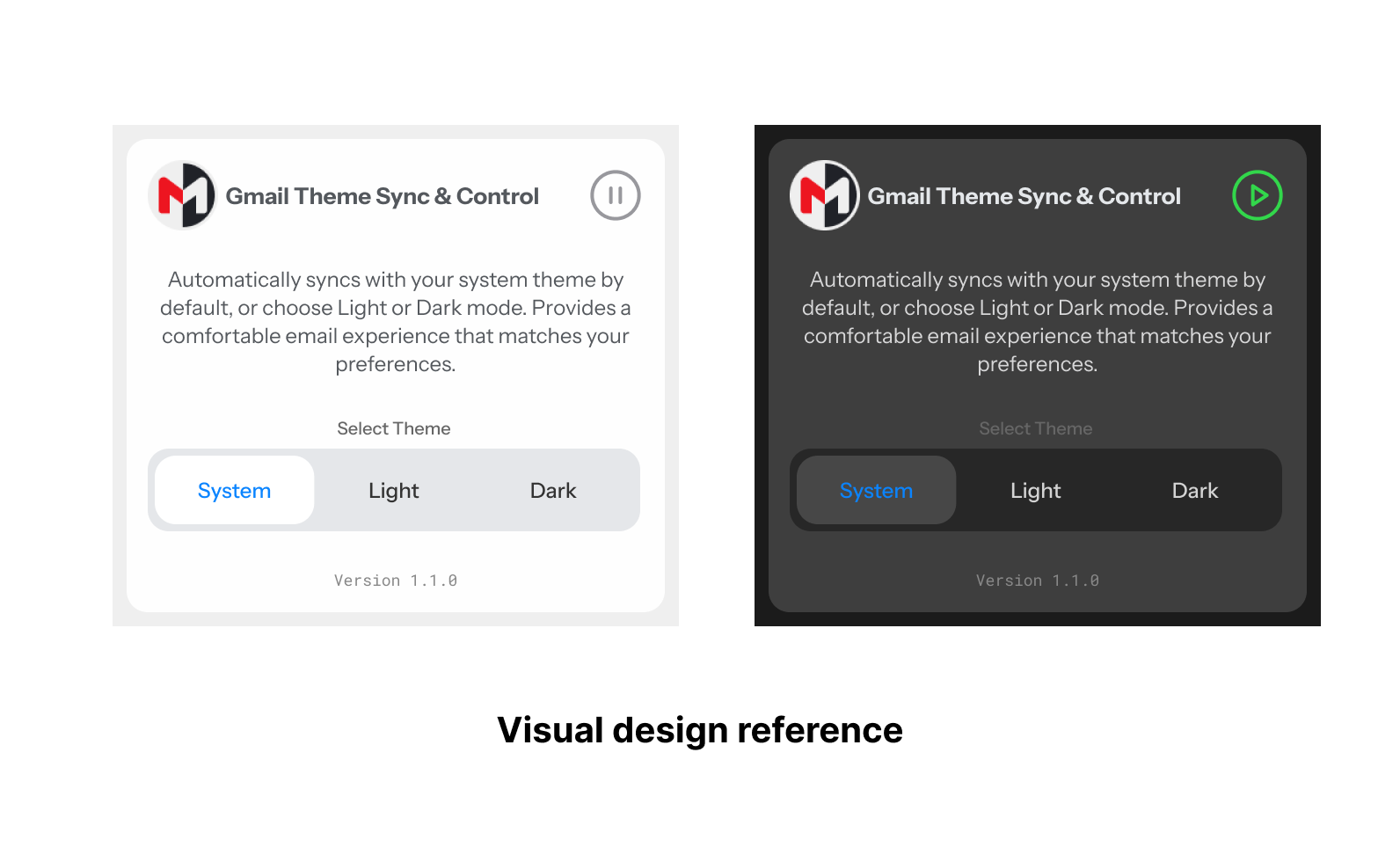 Caption: The above was the visual design reference that I whipped up for the Agent to code
Lessons learnt
A few back-and-forth prompts, and I now have a working Chrome plugin, that's essentially it. The speed and user experience impressed me completely. From an agent-evolution perspective, starting with sandboxed use cases like software programming makes absolute sense.
For design and engineering, agents will make certain tasks significantly more accessible. Prototyping and testing ideas with end users might become far more cost-efficient than traditional approaches. This is a massive business advantage for those wielding these tools effectively, though the strategic human element still matters more than anything else.
That said, for first-generation programming agents, this UX represents the best I've experienced with any emerging technology. What's genuinely unsettling is realising it's only going to improve from here.
If you're looking to try this plugin, it's available in the Chrome Web Store. All the code generated for this experiment is available in this Github repo.